
How to Attach DPM Agents to Computers in ADPM
Articles on: ADPM
How to Attach DPM Agents?
- For attaching DPM agents, Go to DPM Server, Openr DPM/MABS Console.
- Under Management, Click on Install in Agents toolbar.

- A wizard would open, Click on Attach Agents, and Select Computer or Trusted Domain option.
- Provide the name for the machine and move it to the Selected computers section.

- Provide the credentials for the account that has all privileges to attach the agent.

- Success is what we expect here so this is fine.

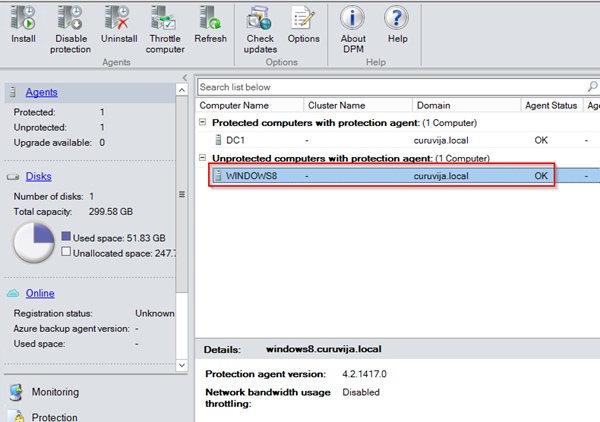
- And finally, computer object will appear on the DPM server console. Make sure that Status for the agent is OK.
Updated on: 31/01/2023
Updated on: 01/07/2024
Thank you!